
Agent Builder’s tools library is where everything lives.
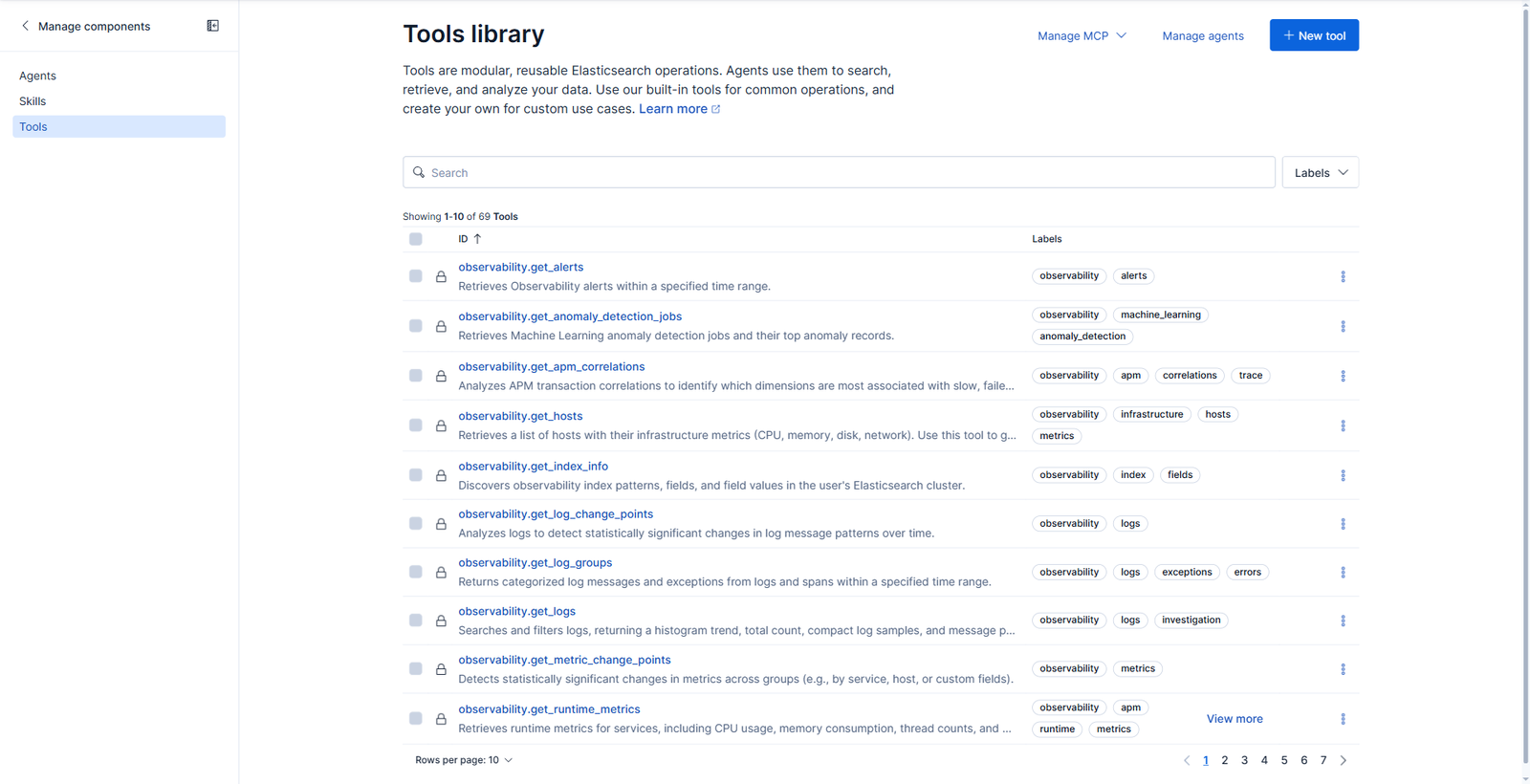
Sixty-nine tools out of the box, split across clear namespaces:
| Namespace | What it covers |
|---|---|
platform.core.* |
search, ES|QL execution, index mappings, index explorer, cases, visualizations |
platform.workflows.* |
workflow generation, validation, step and connector definitions |
platform.streams.* |
stream inspection, pipeline design, ILM policies, partitions |
security.* |
alerts, attack discovery, detection rule creation, watchlists, entity risk, PCI scope |
observability.* |
traces, service topology, log rate analysis, APM correlations, anomaly jobs |
That coverage is wide enough that the obvious question is why you would write your own. The answer is in what these tools are shaped for. platform.core.execute_esql will run any query the model hands it, which means the model is authoring the query against your indices, in real time, every time. A custom tool is the opposite deal: the query is fixed and reviewed, and only the arguments move.
Click New tool and the type selector tells you most of what the feature can do.
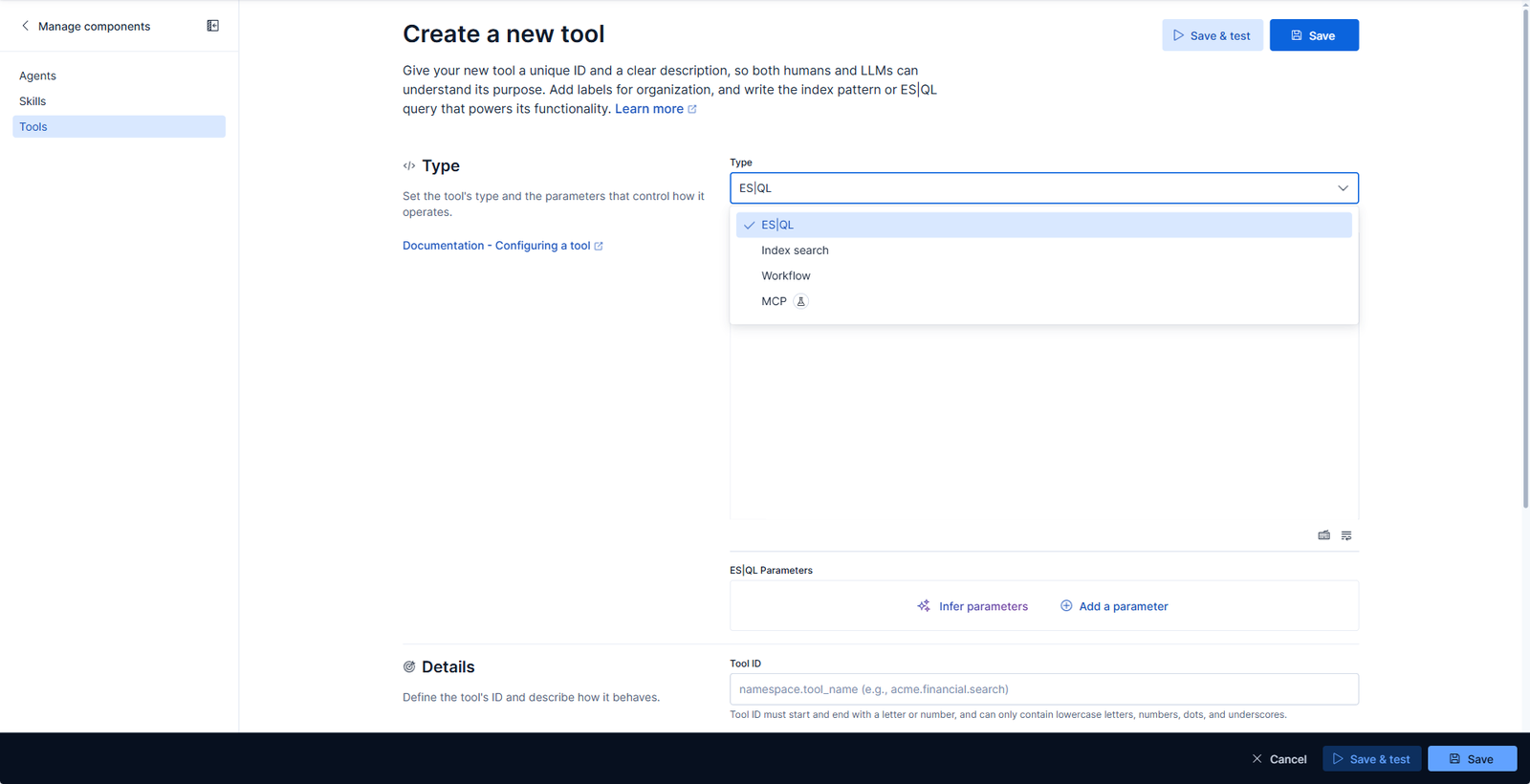
- ES|QL wraps a parameterised query.
- Index search wraps a search against an index pattern, for retrieval rather than aggregation.
- Workflow turns an existing Workflows automation into something an agent can invoke.
- MCP (technical preview) is the import direction, pulling a tool in from an external MCP server.
That last one matters more than it looks, and we come back to it at the end. For now, ES|QL.
The use case here is one a SOC asks constantly and answers badly: which Elastic Agents have gone quiet. Fleet knows, but getting the answer means opening Fleet, reading a status column, and doing date arithmetic in your head.
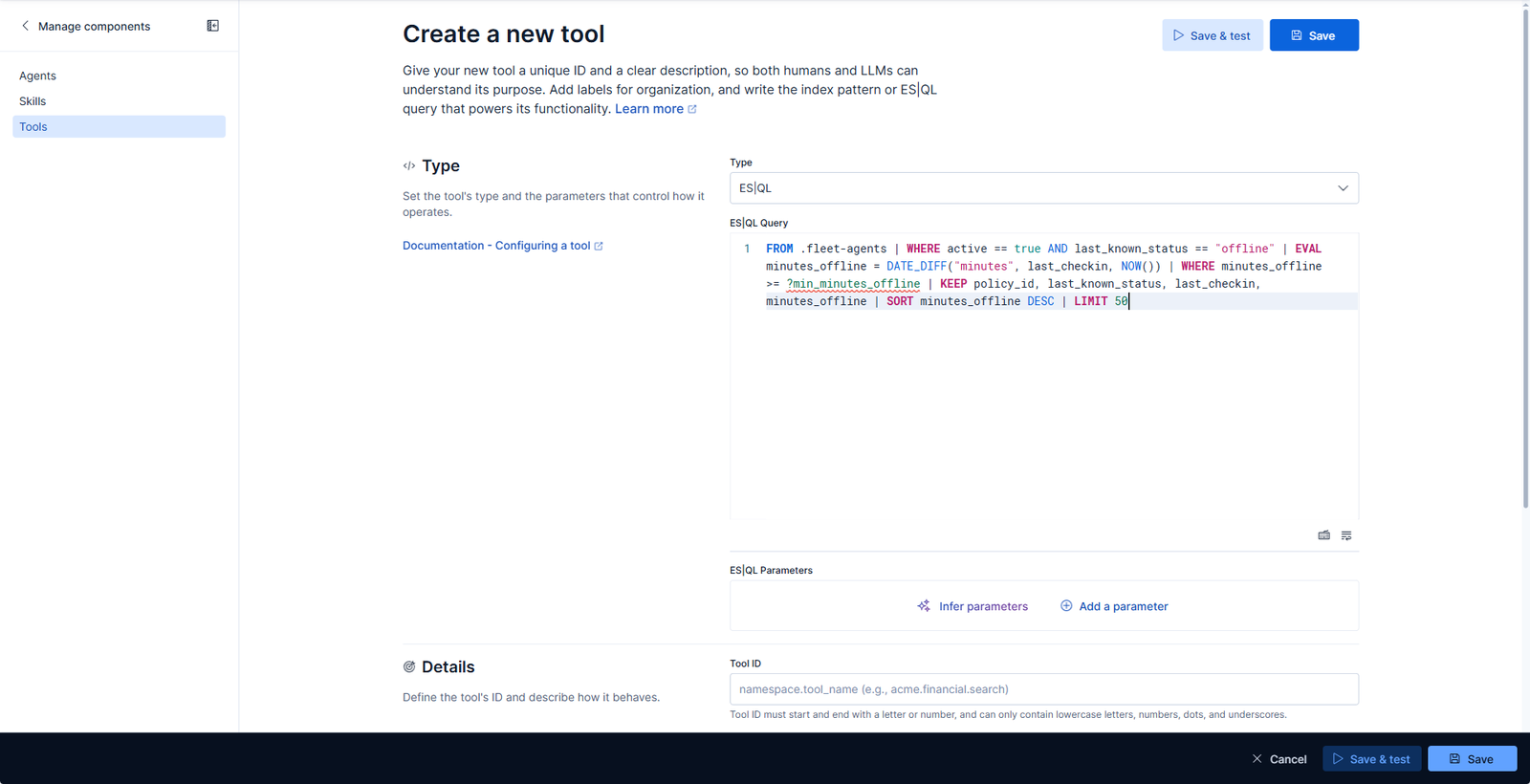
FROM .fleet-agents
| WHERE active == true AND last_known_status == "offline"
| EVAL minutes_offline = DATE_DIFF("minutes", last_checkin, NOW())
| WHERE minutes_offline >= ?min_minutes_offline
| KEEP policy_id, last_known_status, last_checkin, minutes_offline
| SORT minutes_offline DESC
| LIMIT 50
The ?min_minutes_offline placeholder is the whole mechanism. Everything else about this query is frozen: the index, the filters, the sort, the limit. The caller gets exactly one dial.
Parameters are inferred, not hand-written. Press Infer parameters and Kibana reads the placeholders out of the query and builds the parameter list for you.
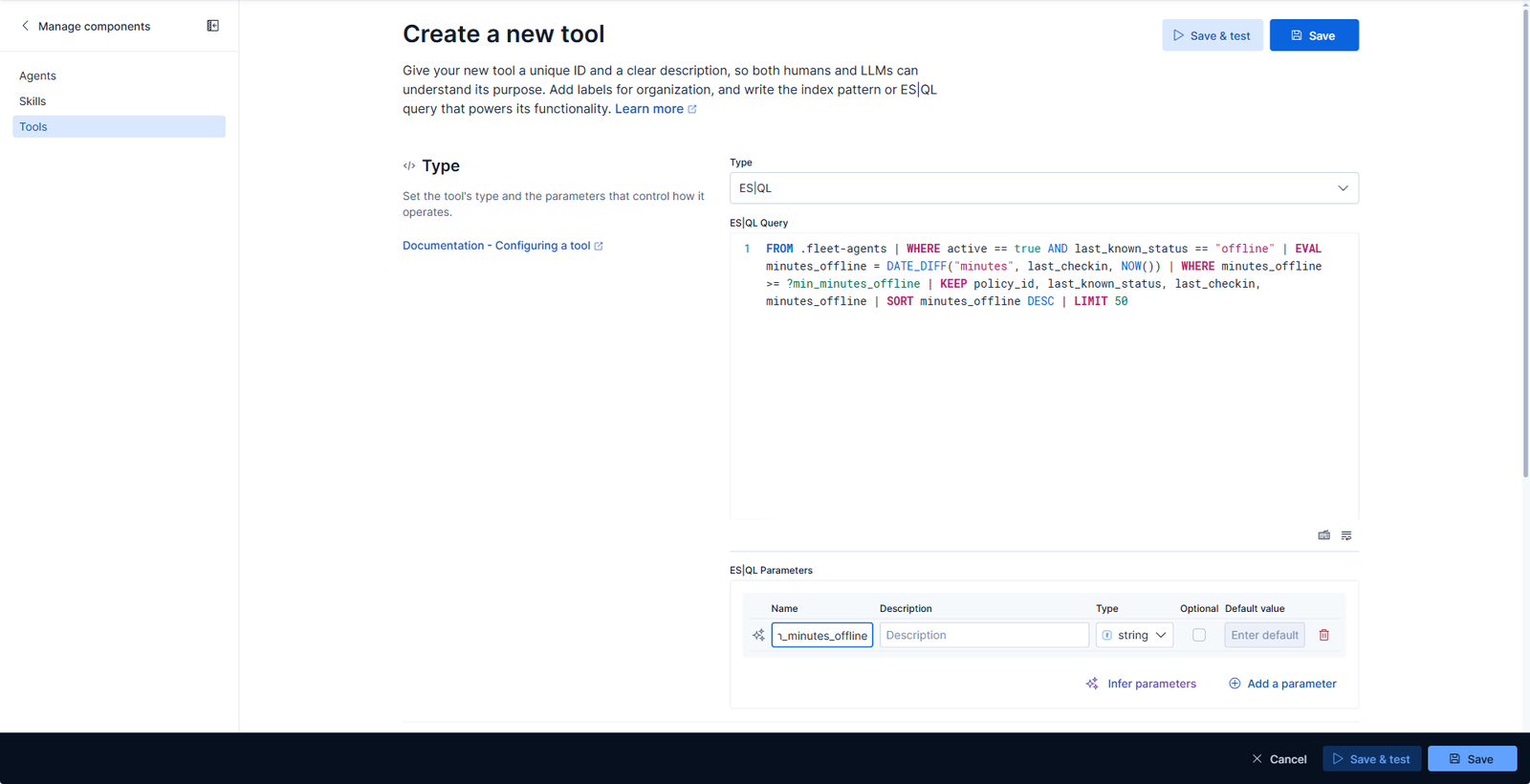
It defaults every inferred parameter to string, which you almost always want to change. The available types are integer, string, float, boolean, date and array. Setting this one to integer is not cosmetic: the type lands in the JSON Schema the model sees, and a model that has been told “integer” will not pass you "about an hour".
Then the ID and the description.
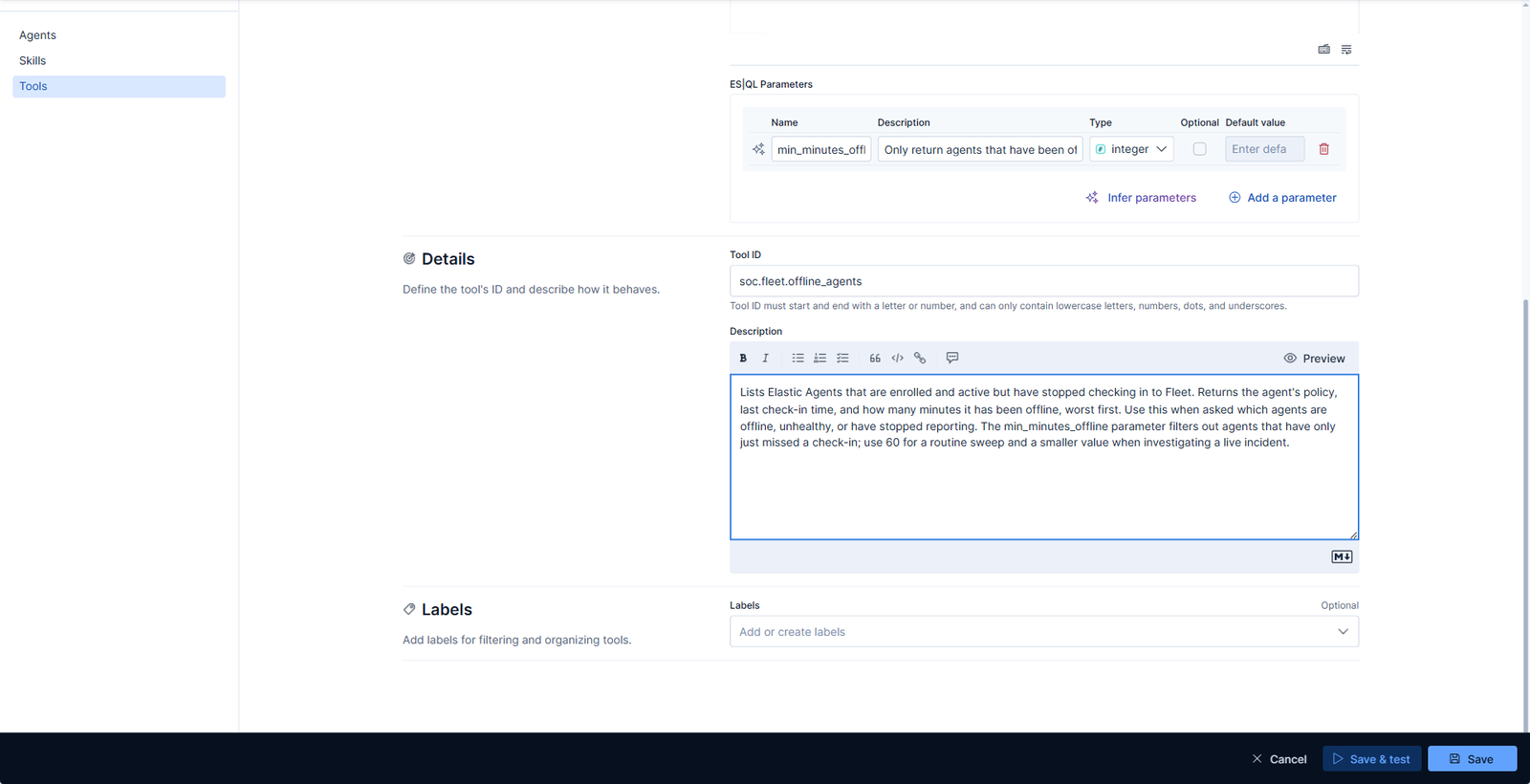
The description is the part people rush, and it is the part that decides whether the tool ever gets used. It is not documentation for a human. It is the only thing a model reads when deciding whether this tool is relevant to the question in front of it. So it should say what the tool returns, when to reach for it, and how to pick the argument:
Lists Elastic Agents that are enrolled and active but have stopped checking in to Fleet. Returns the agent’s policy, last check-in time, and how many minutes it has been offline, worst first. Use this when asked which agents are offline, unhealthy, or have stopped reporting. The
min_minutes_offlineparameter filters out agents that have only just missed a check-in; use 60 for a routine sweep and a smaller value when investigating a live incident.
Three sentences, and every one of them is doing selection work. “Use this when asked which agents are offline, unhealthy, or have stopped reporting” exists because a user will phrase it all three ways. The guidance on the parameter exists because otherwise the model picks a number out of the air.
Save & test opens a dialog that runs the tool with arguments you supply.
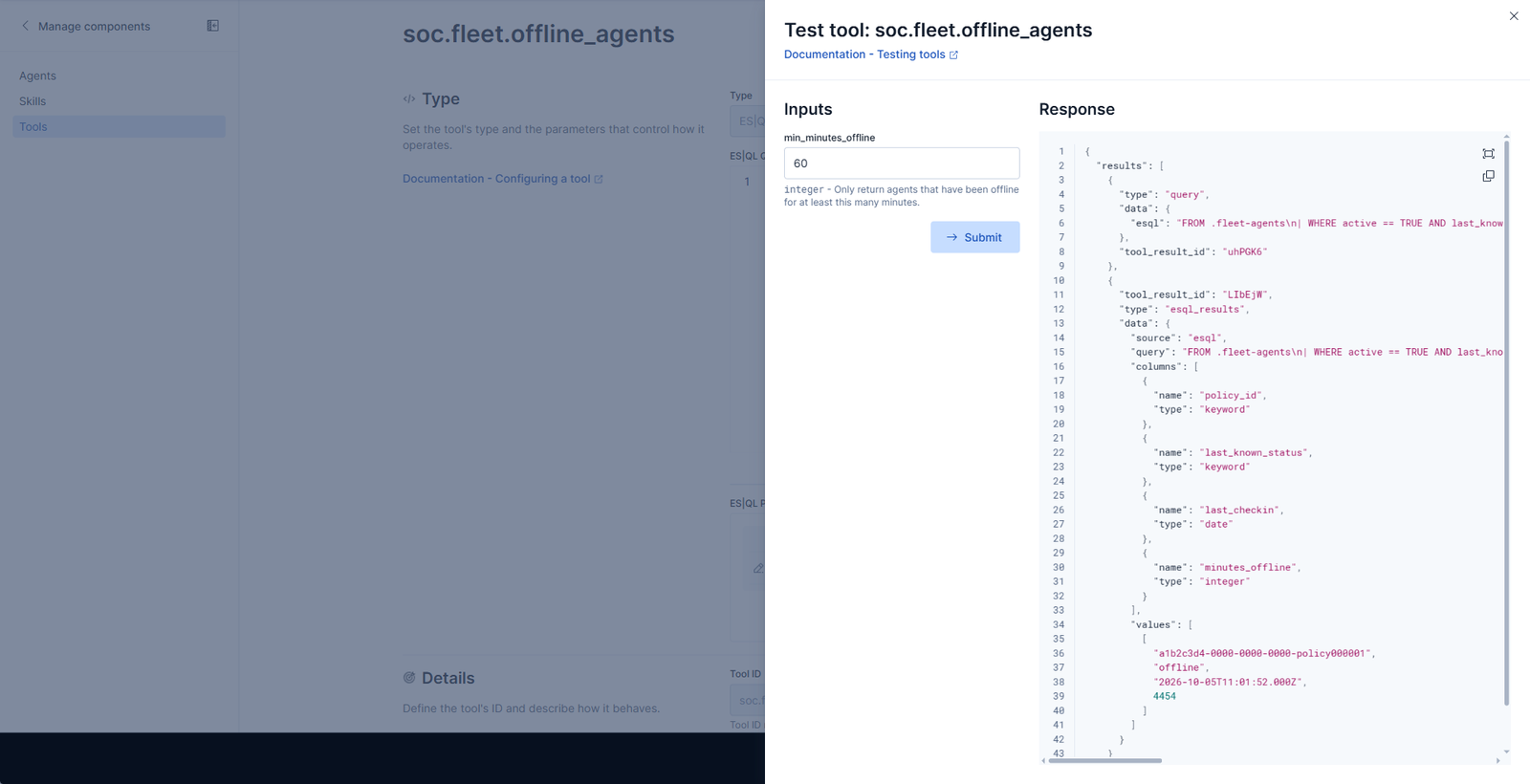
The response is the thing worth studying, because it is also what the model will receive:
{
  "results": [
    {
      "type": "query",
      "data": { "esql": "FROM .fleet-agents\n| WHERE ... | WHERE minutes_offline >= 60 ..." }
    },
    {
      "type": "esql_results",
      "data": {
        "columns": [
          { "name": "policy_id",         "type": "keyword" },
          { "name": "last_known_status", "type": "keyword" },
          { "name": "last_checkin",      "type": "date"    },
          { "name": "minutes_offline",   "type": "integer" }
        ],
        "values": [[ "a1b2c3d4-…", "offline", "2026-10-05T11:01:52.000Z", 4454 ]]
      }
    }
  ]
}
Two things to notice. The resolved query comes back alongside the data, with ?min_minutes_offline already substituted to 60, so whatever consumes this can show its working rather than asserting an answer. And the results carry their own columns schema, which is what lets a client read minutes_offline by name instead of counting array positions.
One agent, offline for 4,454 minutes. Roughly three days.
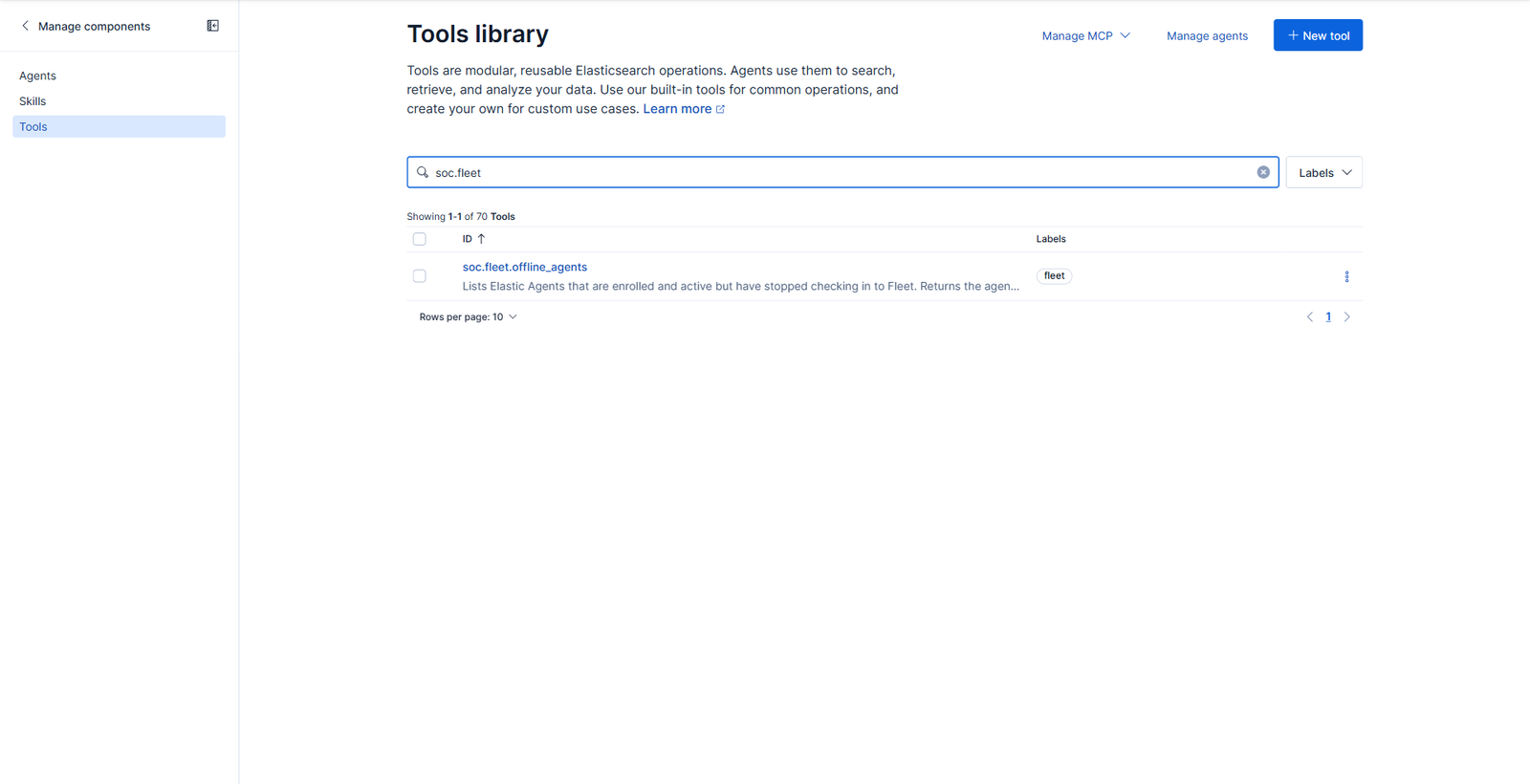
Save it, and it joins the library as a first-class tool.
A tool is only worth building if a model reaches for it unprompted. To check that, we made a second agent scoped to exactly one tool, this one, and asked a question that never mentions Fleet, offline, or minutes in the form the query uses:
Which Elastic Agents have been offline for more than a day?
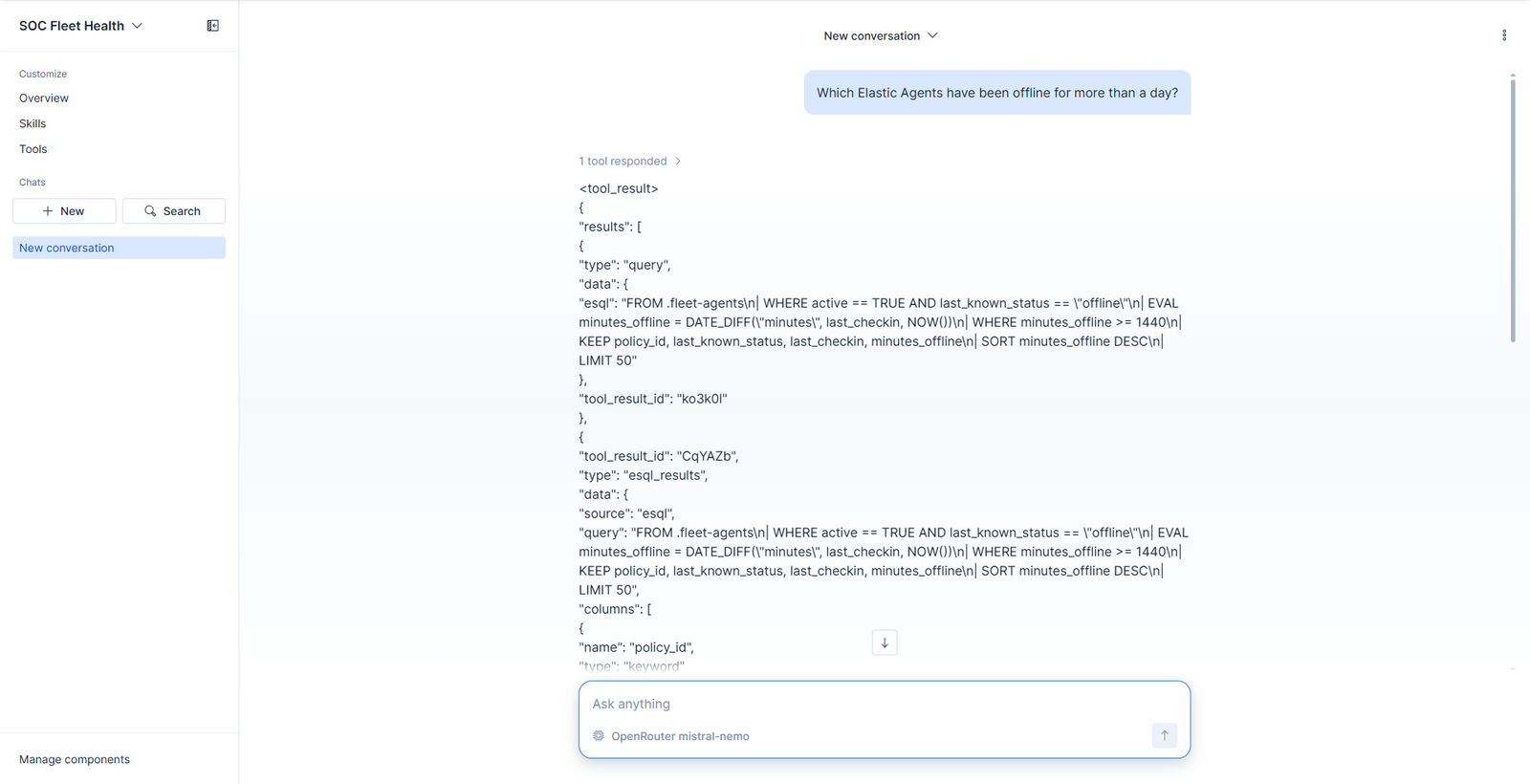
1 tool responded, and look at what it passed. The description told it that min_minutes_offline is measured in minutes; the question said “more than a day”. The model did the conversion and called the tool with 1440. Nothing in the query or the schema spells that out. That translation from how a human asks to what the parameter needs is the entire job of the description field, and it’s the thing you’re really testing when you write one.
The resolved ES|QL comes back with the substitution already applied:
| WHERE minutes_offline >= 1440
Then it answers from the rows, not from memory:
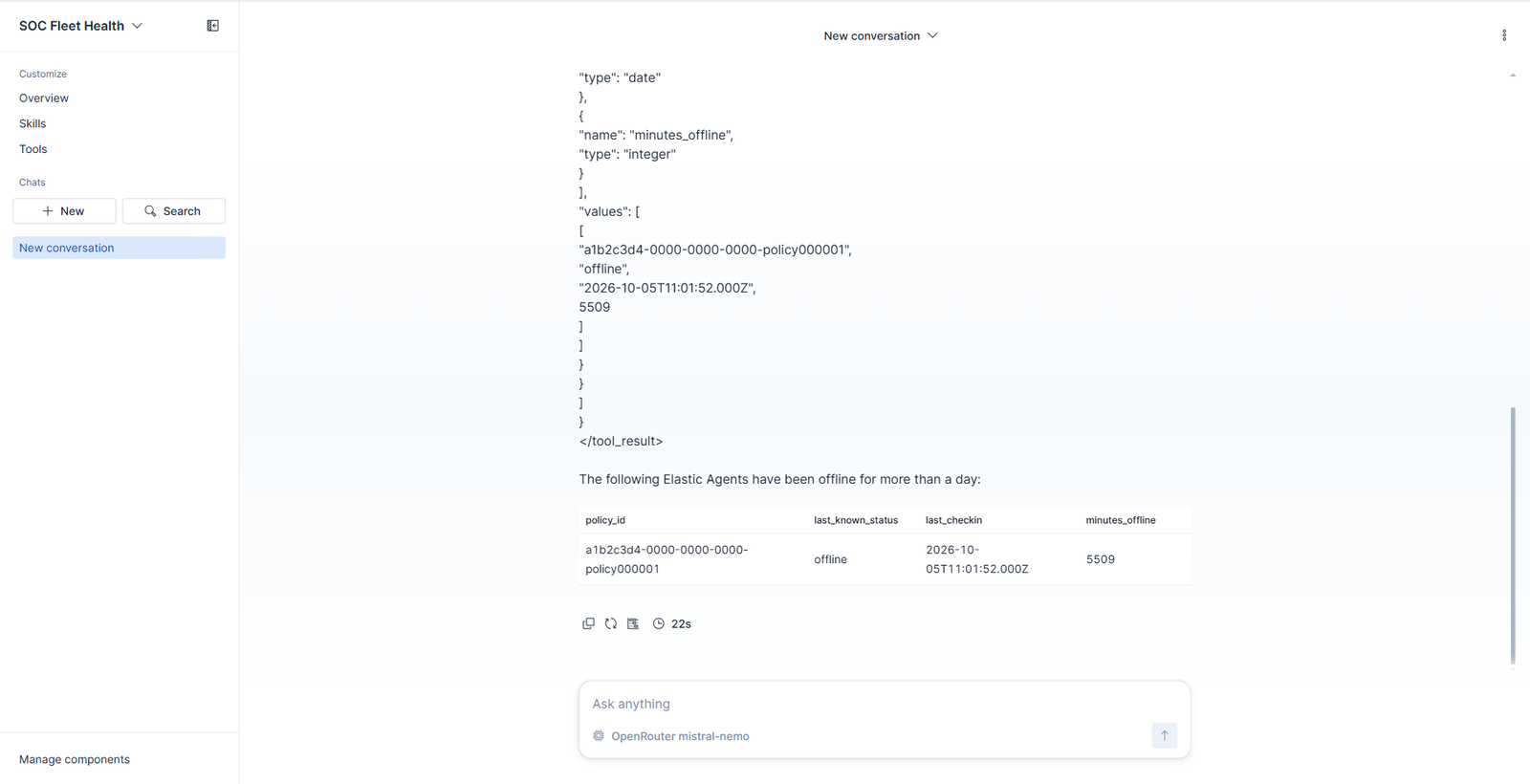
One agent, offline 5,509 minutes. The agent reported the row it was given, in 22 seconds, and the table it rendered is traceable back through the tool result to the exact query that produced it.
Worth noting what this didn’t need: no fine-tuning, no RAG, no prompt describing your index layout. The model knew nothing about .fleet-agents. It only read a tool description and picked a number.
Everything so far is a nicer way to run a saved query. What changes the picture is the Manage MCP menu.
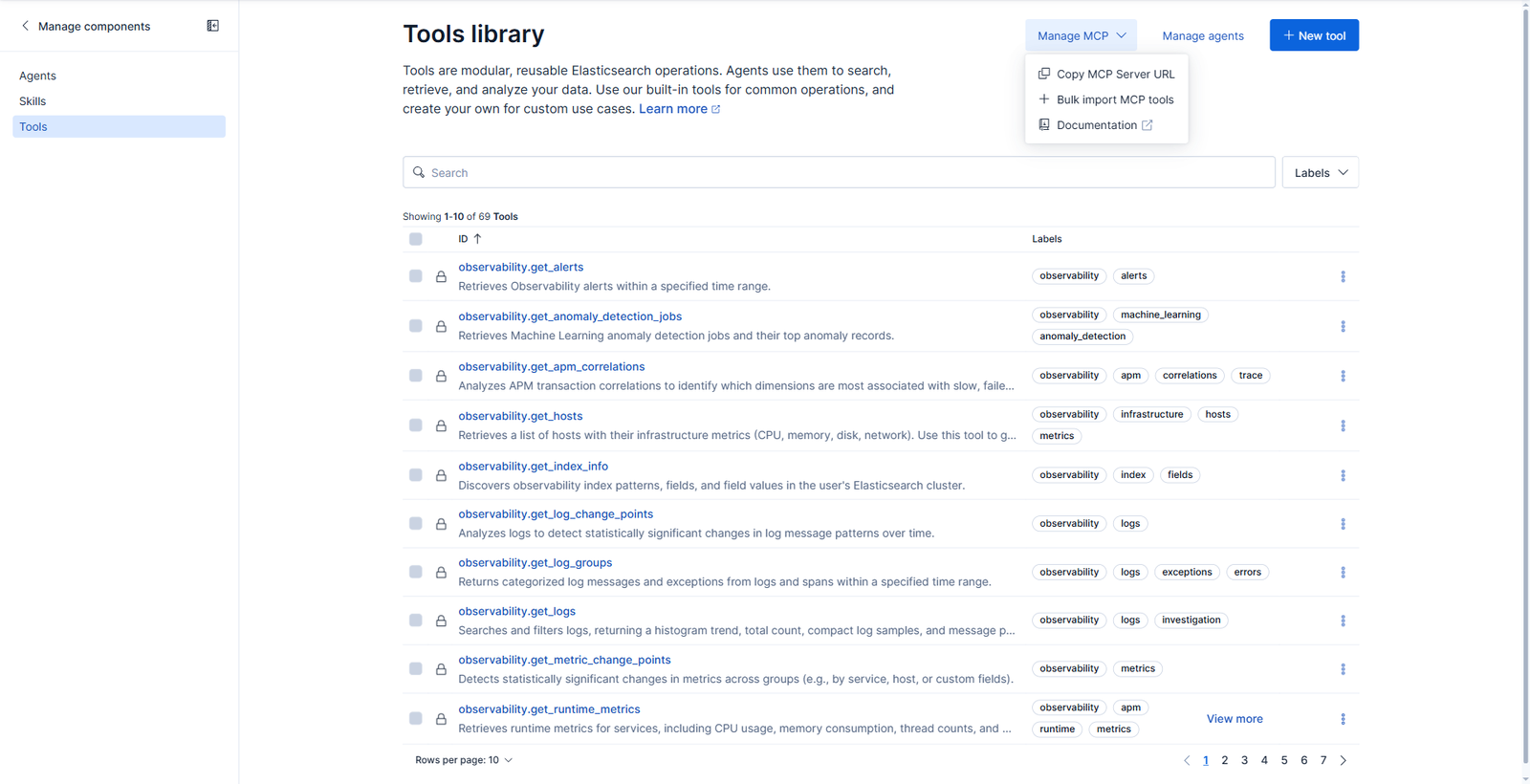
Kibana runs an MCP server. The endpoint is:
{KIBANA_URL}/api/agent_builder/mcp
and for a non-default space:
{KIBANA_URL}/s/{SPACE_NAME}/api/agent_builder/mcp
It speaks ordinary JSON-RPC. Handshake first:
{"jsonrpc":"2.0","id":1,"method":"initialize",
 "params":{"protocolVersion":"2025-06-18","capabilities":{},
           "clientInfo":{"name":"demo","version":"1.0"}}}
{"result":{"protocolVersion":"2025-06-18",
           "capabilities":{"tools":{"listChanged":true}},
           "serverInfo":{"name":"elastic-mcp-server","version":"0.0.1"}},
 "jsonrpc":"2.0","id":1}
Then tools/list returns all seventy, each with a JSON Schema generated from the parameters you defined:
{
  "name": "soc_fleet_offline_agents",
  "description": "Lists Elastic Agents that are enrolled and active but have stopped checking in to Fleet. …",
  "inputSchema": {
    "$schema": "http://json-schema.org/draft-07/schema#",
    "type": "object",
    "properties": {
      "min_minutes_offline": {
        "type": "integer",
        "description": "Only return agents that have been offline for at least this many minutes."
      }
    },
    "required": ["min_minutes_offline"]
  },
  "execution": { "taskSupport": "forbidden" }
}
Read that tool name again. It is soc_fleet_offline_agents, not soc.fleet.offline_agents. The MCP layer rewrites dots to underscores, and a tools/call using the ID you typed into Kibana comes back with:
MCP error -32602: Tool soc.fleet.offline_agents not found
That cost us a few minutes. List the tools and use the name the server gives you rather than the one you chose.
Note also that min_minutes_offline landed in required. We never marked it optional and gave it no default, so every caller must supply it. If you want the model to be able to call a tool with no arguments at all, tick Optional and set a default value when you define the parameter.
With the right name, the call works:
{"jsonrpc":"2.0","id":4,"method":"tools/call",
 "params":{"name":"soc_fleet_offline_agents",
           "arguments":{"min_minutes_offline":1440}}}
and returns the same resolved query and rows the test dialog showed, wrapped in MCP’s content envelope.
Pointing a client at it
Authentication is either an API key, which suits unattended and machine-to-machine use, or OAuth 2.1, which suits interactive hosts where each person consents and can be revoked individually. The API key needs the feature_agentBuilder.read Kibana privilege; without it the endpoint answers 403.
For a desktop client, mcp-remote bridges stdio to the HTTP endpoint:
{
  "mcpServers": {
    "elastic-agent-builder": {
      "command": "npx",
      "args": [
        "mcp-remote",
        "https://kibana.internal.example/api/agent_builder/mcp",
        "--header",
        "Authorization:ApiKey ${API_KEY}"
      ],
      "env": { "API_KEY": "<your-api-key>" }
    }
  }
}
Importing from the other direction
The same menu offers Bulk import MCP tools, which runs the relationship backwards: register an external MCP server, preview what it exposes, and pull tools in so the Kibana agent can call them.
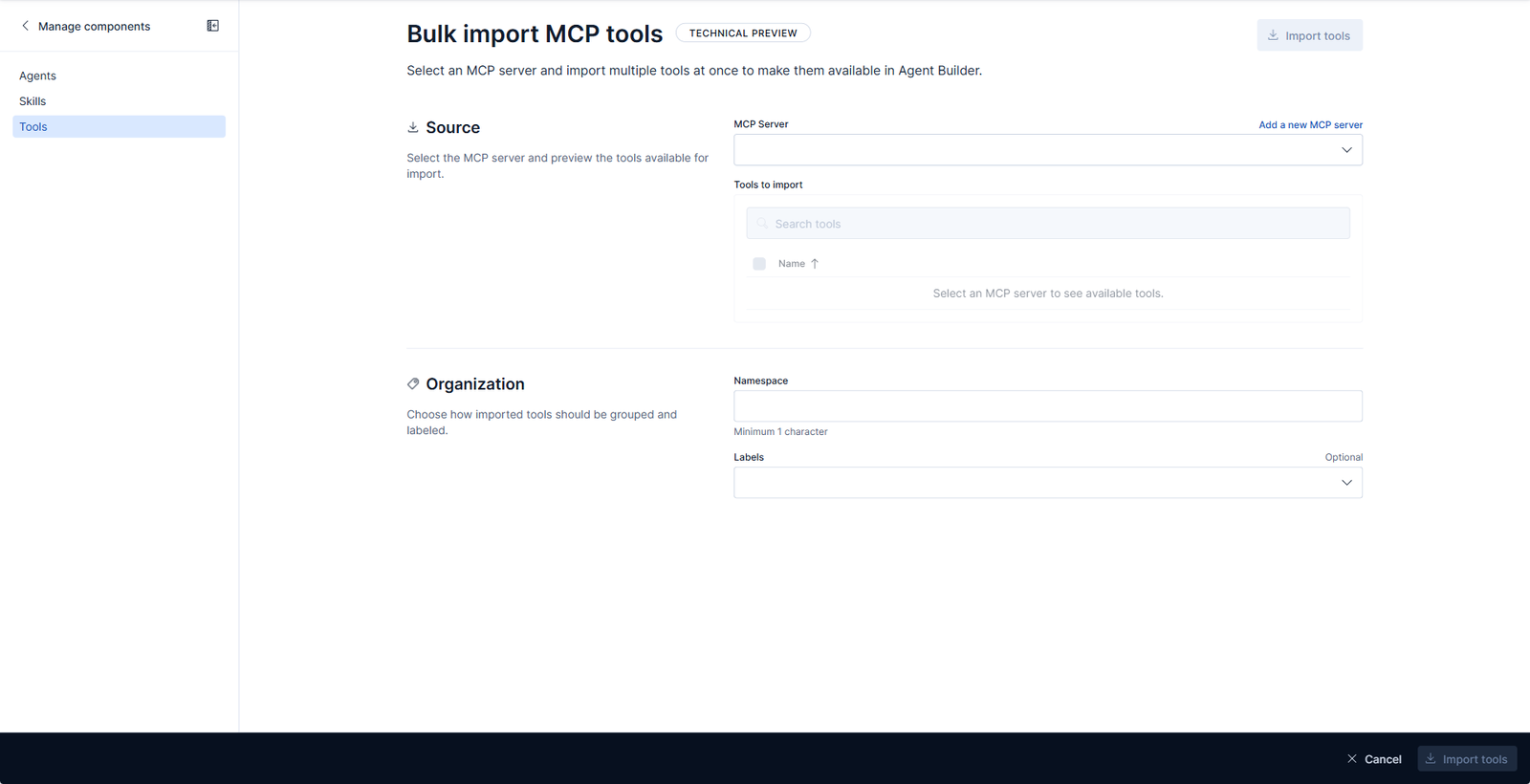
It asks for a namespace, which is sensible. Imported tools land under a prefix of your choosing instead of colliding with platform.* or anything you have already built.